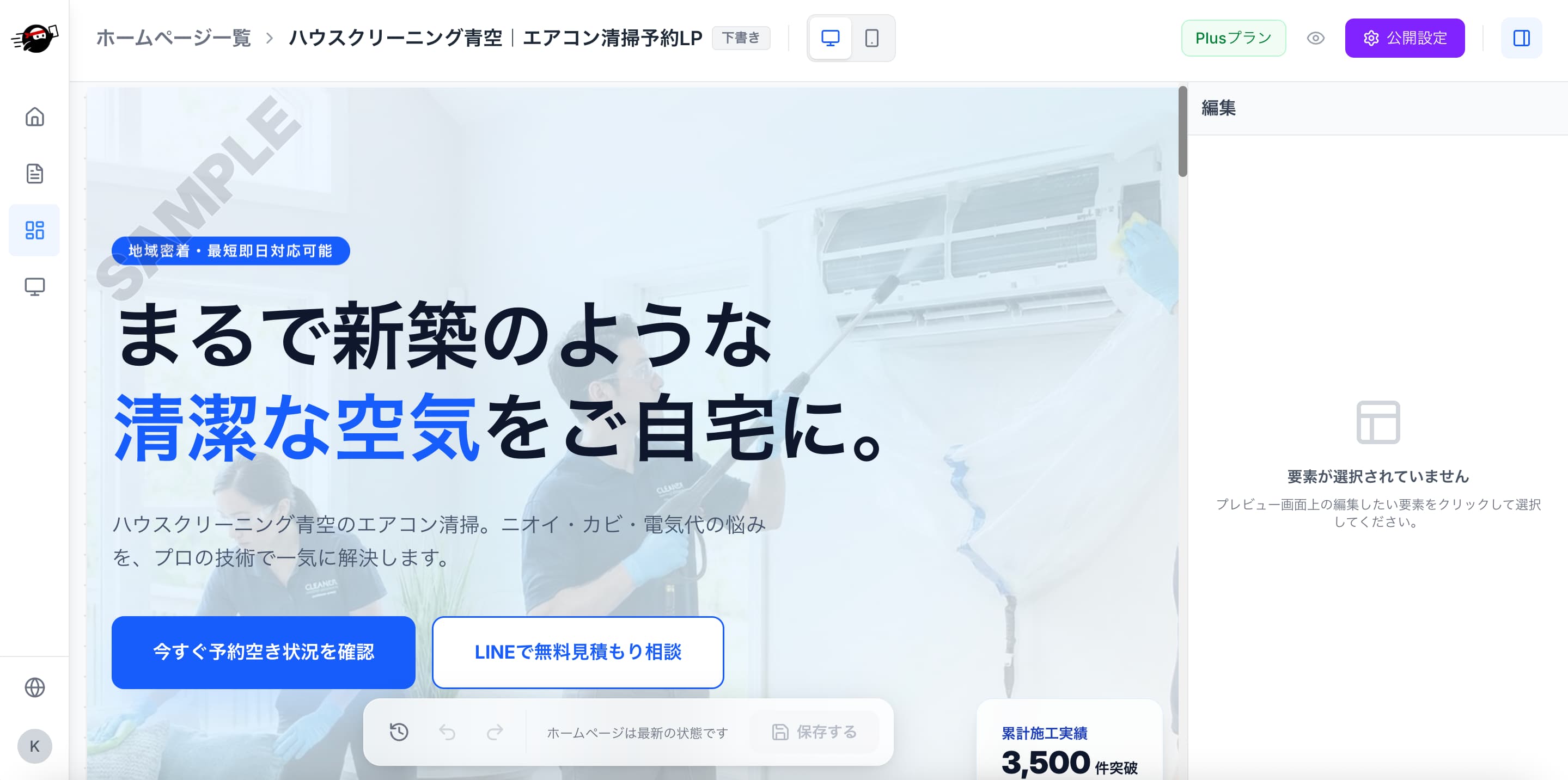
Steps to Create a Website
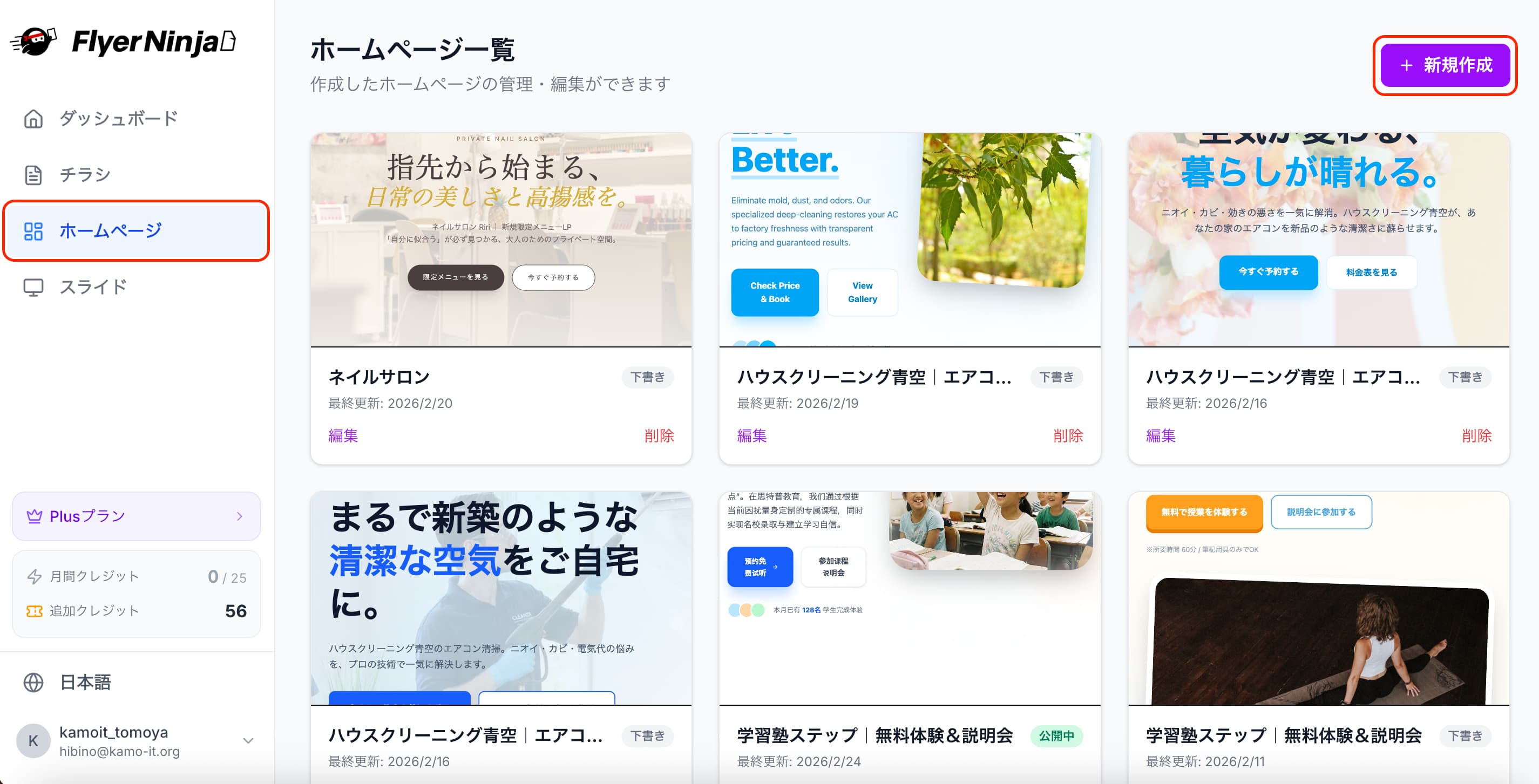
1. Create New
Click "Website List" in the left menu of the dashboard, then click "Create New".
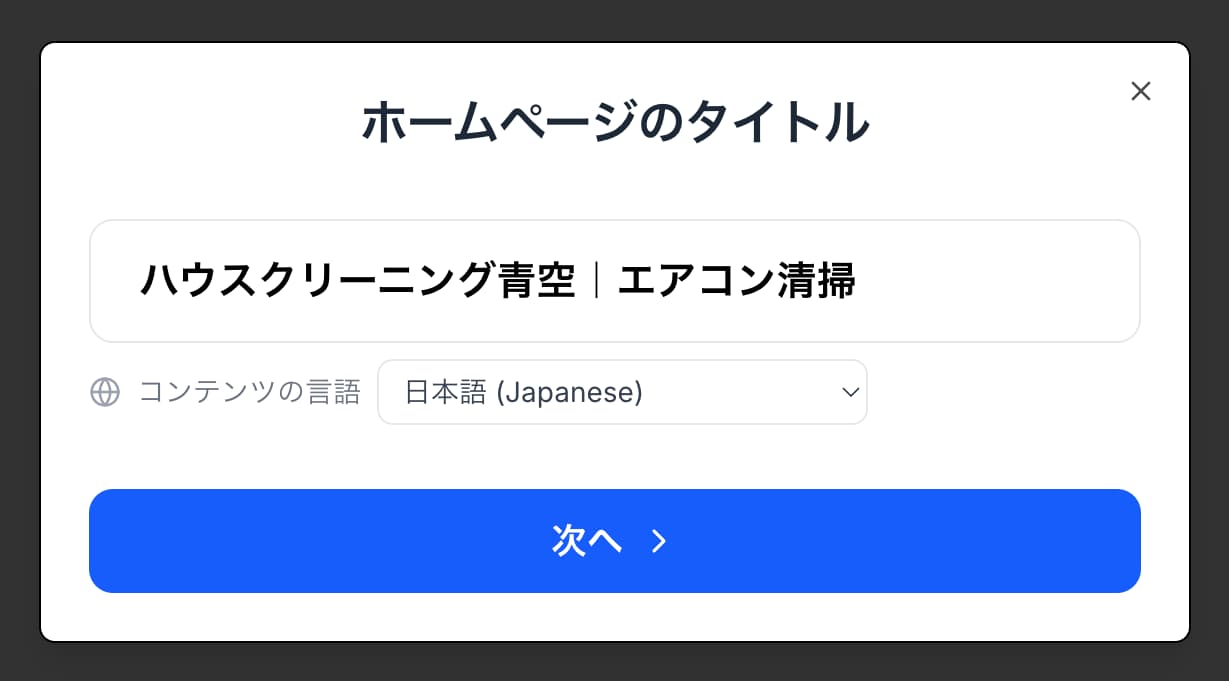
2. Enter Your Website Title
The image selection that follows depends on this title, so choose an accurate one.
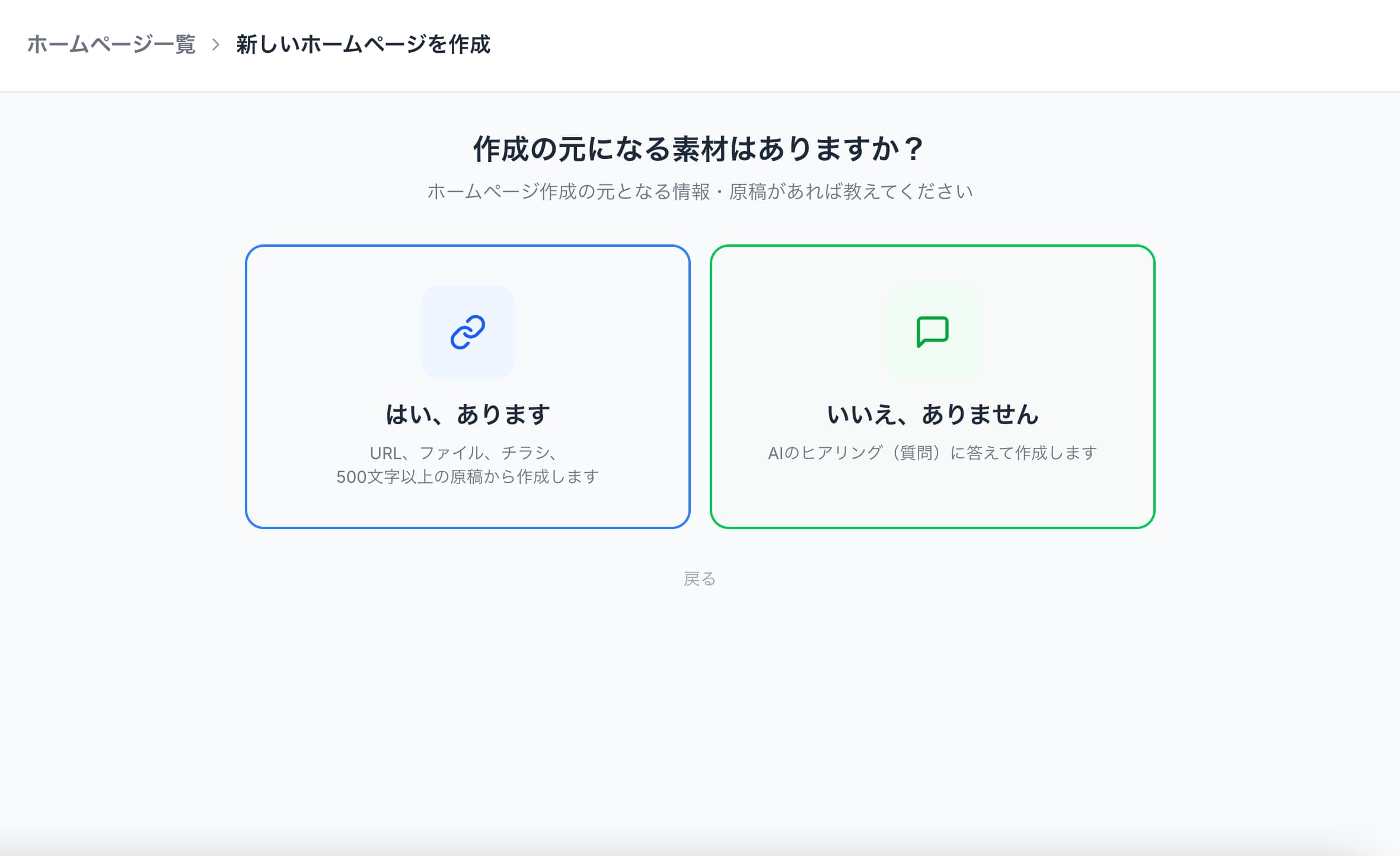
3. Choose Whether You Have Source Material
If you do, select "Yes, I have" and enter the relevant URL or a summary description. If not, select "No, I don't" and simply answer the AI's questions to generate your site. Here, we'll proceed assuming you have source material.
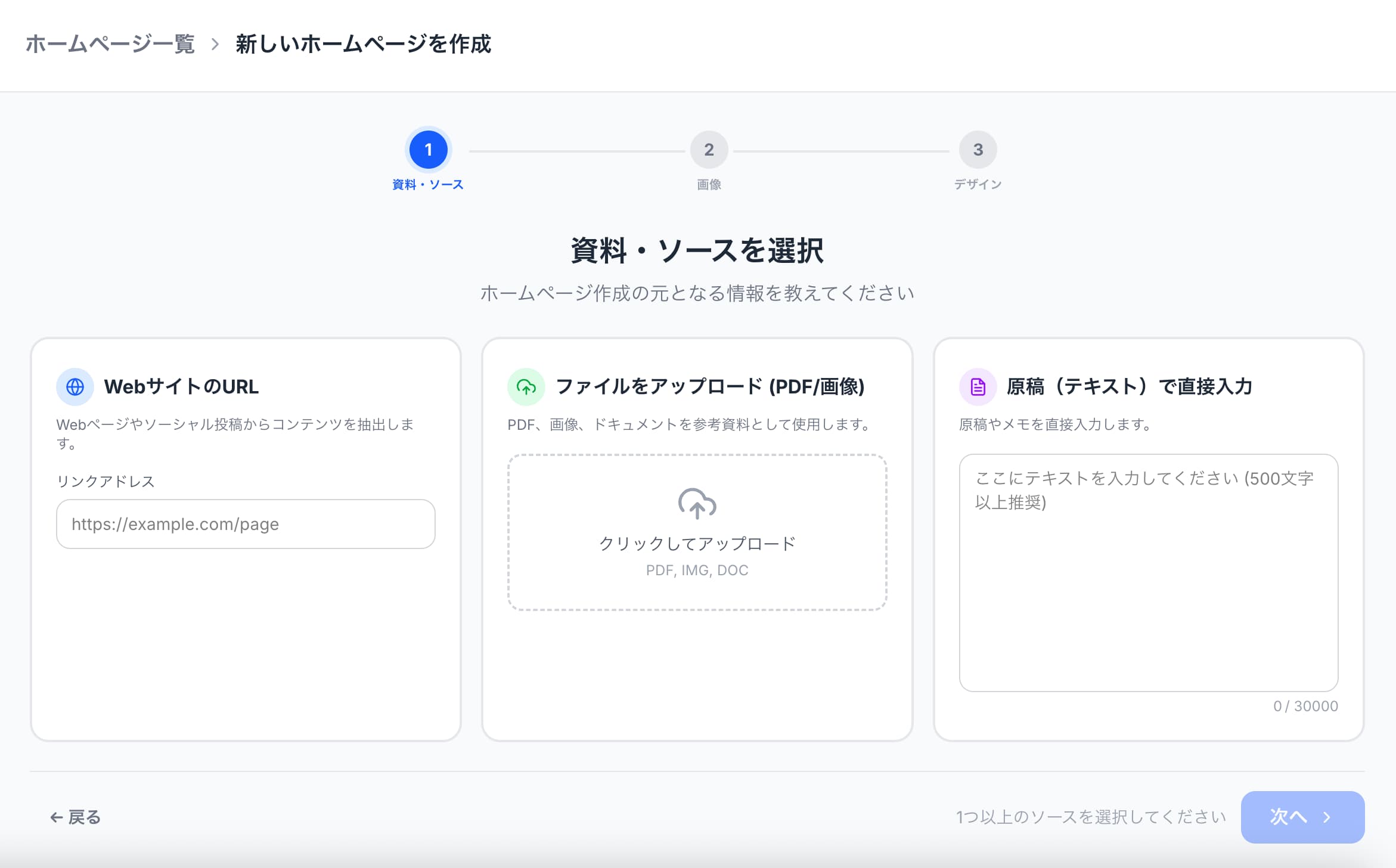
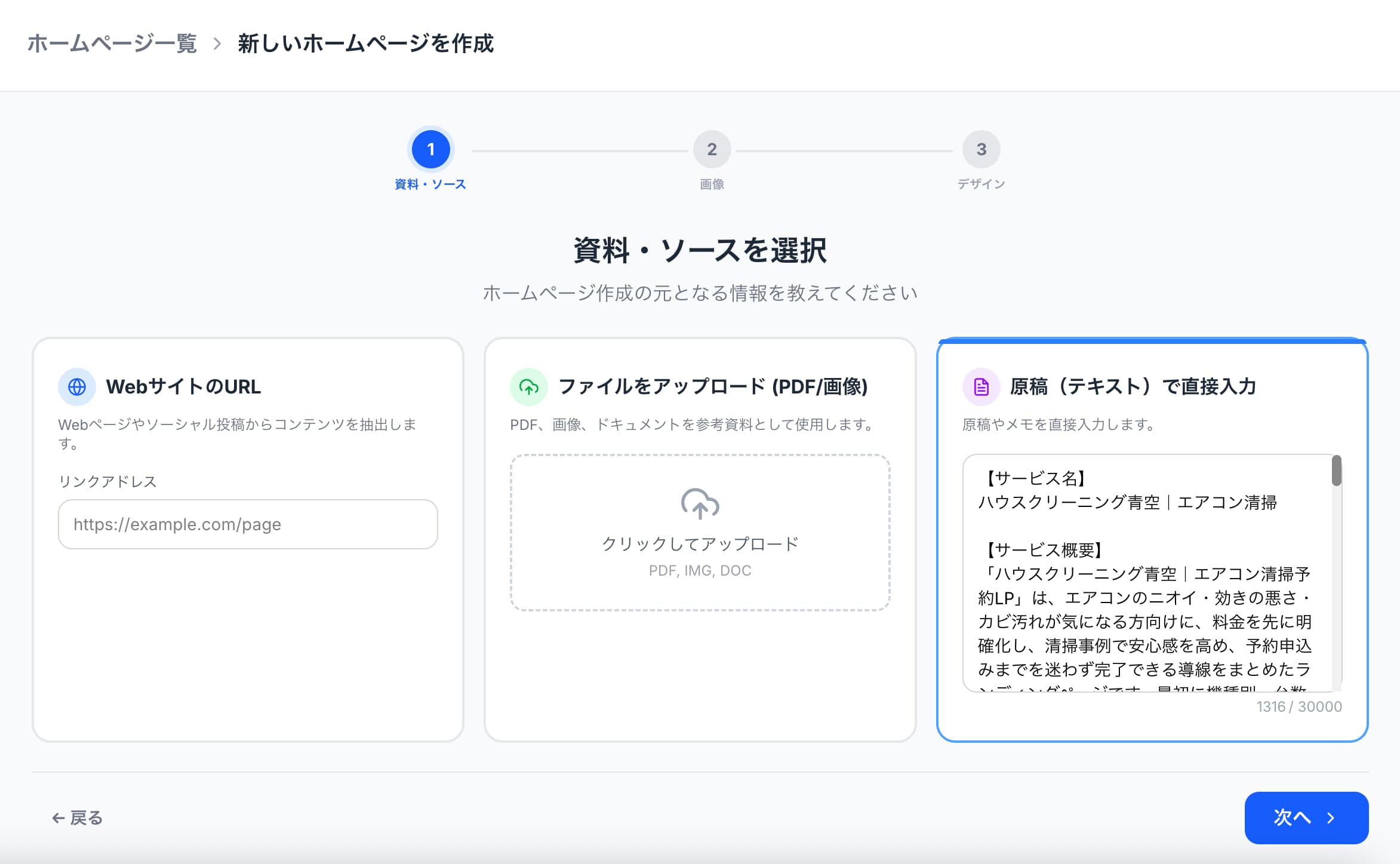
4. Enter Materials or Sources
You can generate a site just by inserting a URL, or by writing a text summary of what you want on your website (overview, pricing, shop information, etc.).
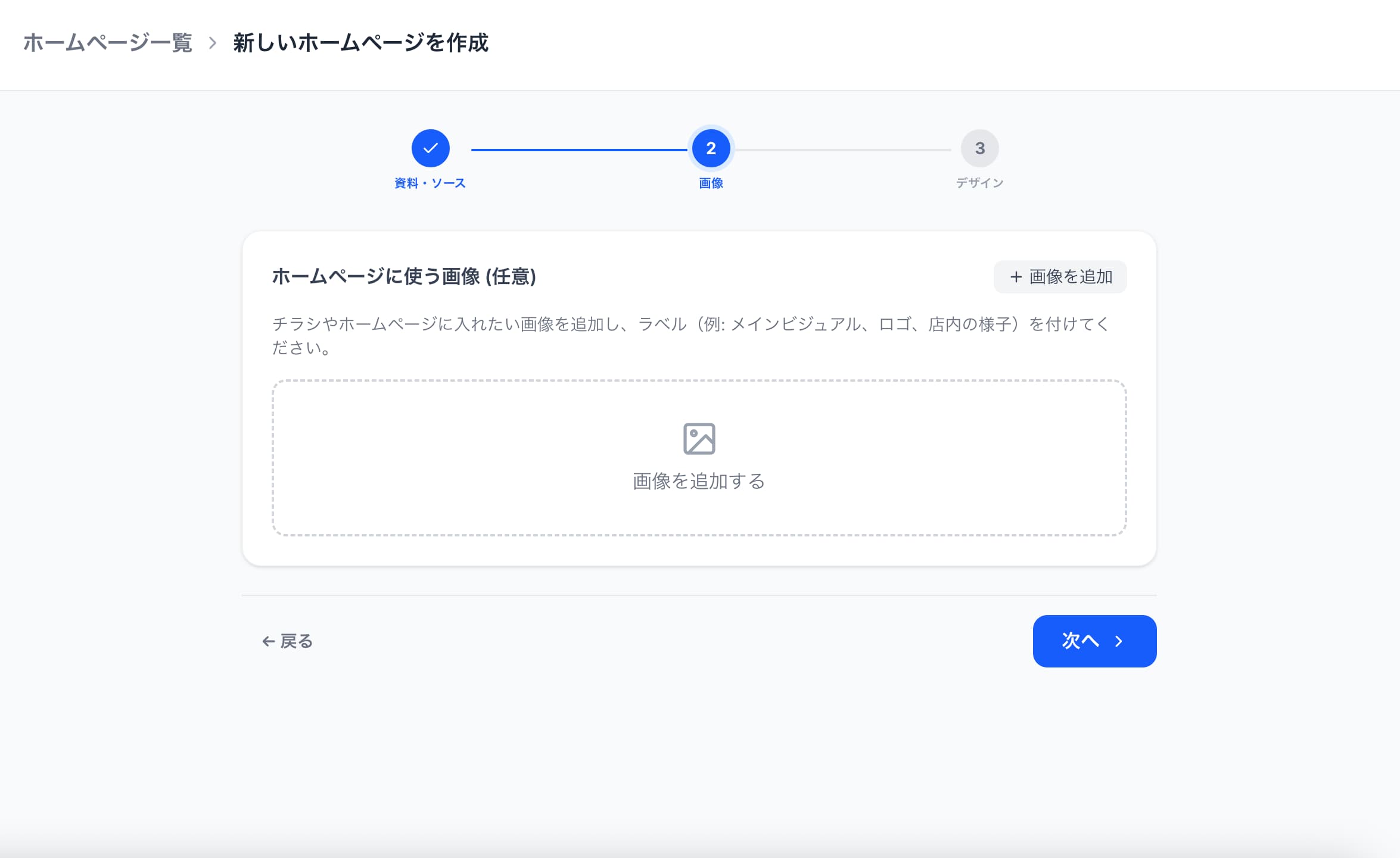
5. Insert Images to Use
If you don't have any in particular, proceed without adding images. (*If there are no images, the AI will interpret the content and incorporate images automatically. However, due to copyright reasons these cannot be downloaded, so you'll need to add your own images using the AI-generated ones as reference.)
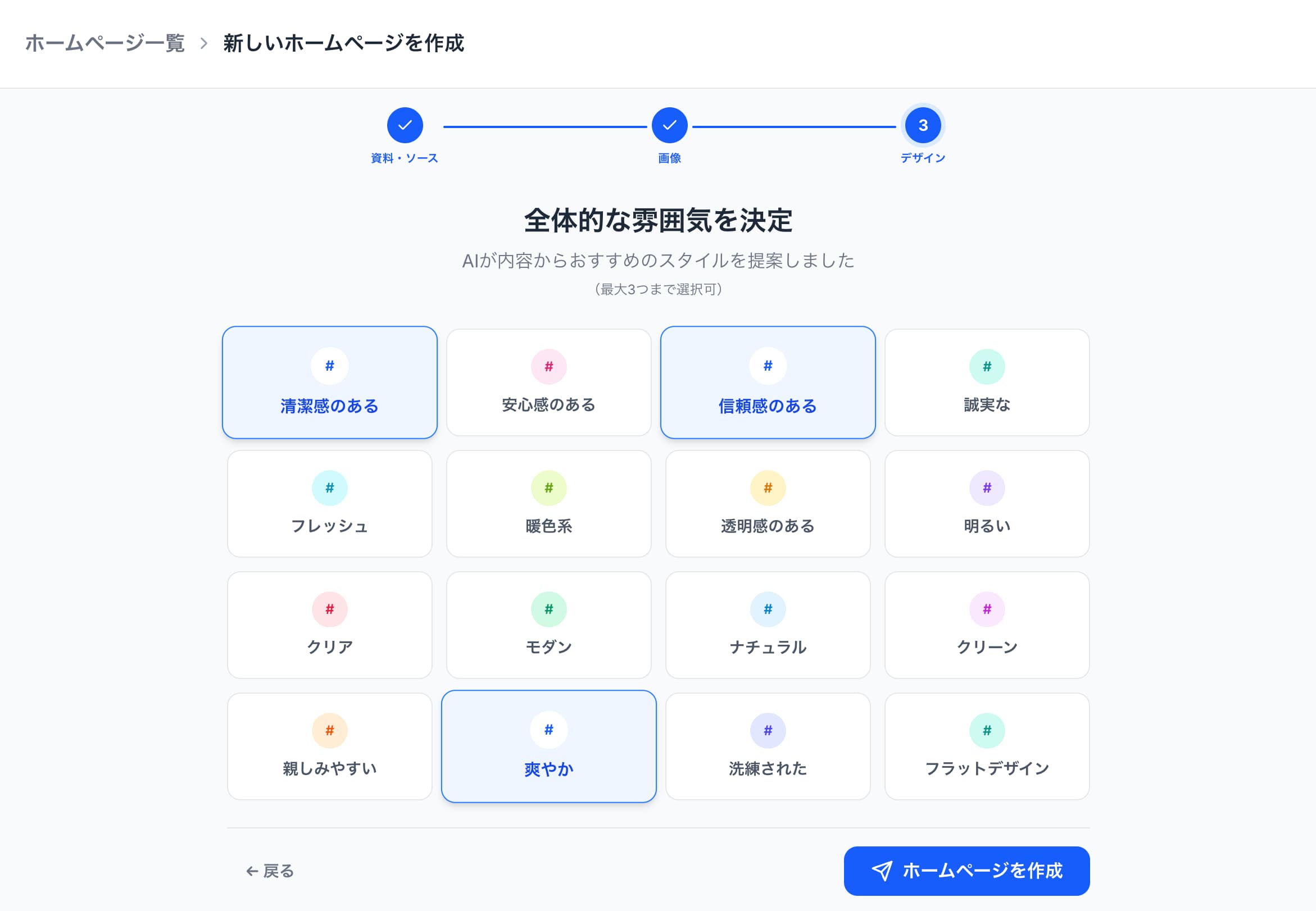
6. Finally, Choose the Overall Mood
You can select up to three. This choice significantly affects the design, so choose according to your vision.
7. Generation Complete
Generation is now complete. Give it a try!